
Free Roblox T-Shirt Maker
The Roblox T-Shirt maker puts a picture, logo or line of text on the chest of an avatar. Upload an image, move and resize it on a square canvas, check it on a 3D avatar and download a 512 × 512 PNG. It is free, needs no account and does not add a watermark.
Last updated
- Picture, logo or text
- Square 512 × 512 PNG
- Free, no sign-up
Add an image or text, then drag it on the garment. Drag anywhere else to turn the avatar.
How to use the Roblox T-Shirt maker
One picture, four steps.
- 1
Add your picture or text
Use Image to upload your artwork, or add editable text and basic shapes. A PNG with a transparent background works best.
- 2
Move and resize it
Drag the layer on the square canvas, pull a corner to resize it and use the top handle to rotate it.
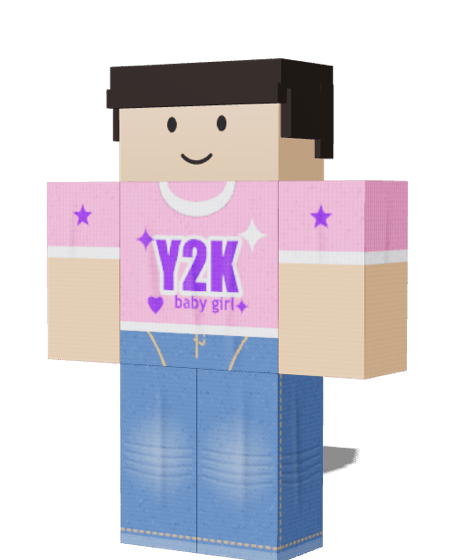 3
Check it on the chest
The 3D avatar shows the picture on the chest of a plain shirt. Turn the avatar to see how it sits and whether it is big enough to read.
rbxshirt-t-shirt.png
512 × 512 · PNG Saved
4Download the square PNG
Press Export PNG to save a 512 × 512 file, then upload it as a T-Shirt from the Roblox Creator Dashboard.
Roblox T-Shirt or Shirt: which should you make?
They are uploaded in different places and do different jobs.
T-Shirt: one square picture
Shows a single image on the chest. There is no template, so it is quick to make and suits a logo, a character or a slogan.
Shirt: a full garment
Wraps the torso and both arms, so it can have sleeves, side panels and a back design. It takes more work but looks like real clothing.
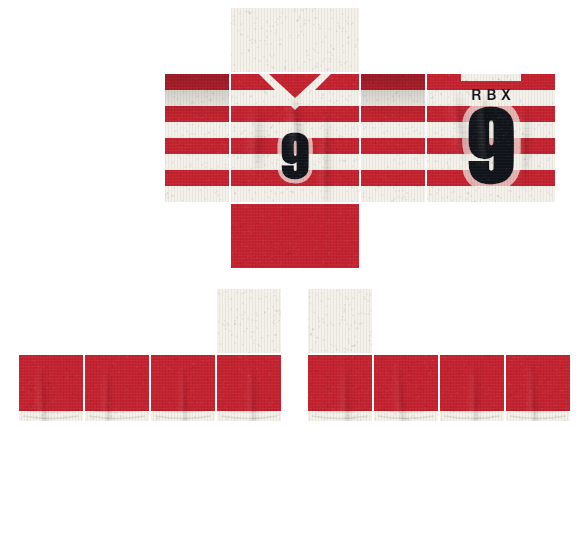
If you need sleeves, a back design or a repeating pattern, use the Roblox Shirt Maker instead.
Tips for a clear Roblox T-Shirt picture
The picture is small on screen, so a few choices make the difference between sharp and muddy.
- Use a transparent background
- Cut your logo or character out first. A solid square background shows as a coloured box on the chest.
- Keep it bold and simple
- The picture is shown small and far away. Thick shapes and few colours read better than fine detail or small text.
- Centre the artwork
- The picture is fitted to the chest square. Leave a little space around the edges so nothing is cropped.
- Start bigger than you need
- Export at 512 × 512 pixels. Starting from a larger image keeps edges clean when it is scaled down.
- Check it over a shirt
- Roblox draws a T-Shirt on top of the shirt. Preview both together in the tester, because dark artwork on a dark shirt disappears.
- Use pictures you may use
- Only upload artwork you made or have permission to use. Roblox can remove items that break its rules.